Release Notes 2026-10-23
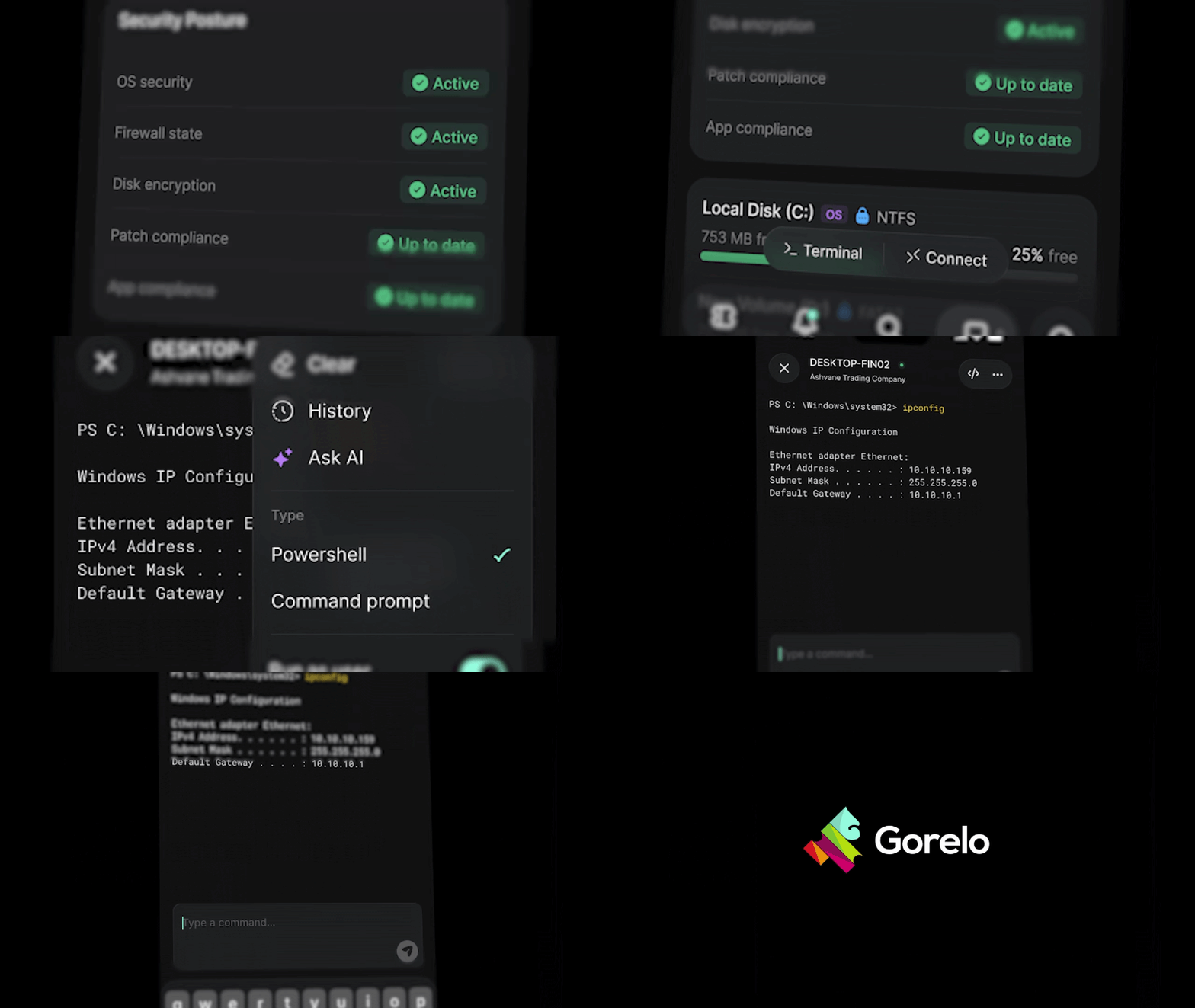
📱 Terminal for Gorelo Mobile — A live command line in your pocket
You can now open a live shell on any online Windows or Mac device from your phone. Tap Terminal on a device and you get a live PowerShell, Command Prompt or macOS shell, with output streaming back as each command runs. From the menu you can switch shells or run as the logged-in user. You can also answer interactive prompts and tap Stop to send Ctrl+C. The </> button runs your pinned scripts, variables and all. Every command is logged to the device’s Activity, just like on web.
🦄 Portal - End users can now remote into their own assigned computers. Turn on “Can access assets” on a contact to get set up. We’re wiring up the portal side of things now, so end users will see it there in the coming days. It’s free while Connect v2 is in testing and we gather feedback.
✨ Assets - Gorelo Connect sessions on macOS now sharpen the picture when the screen is still
✨ Assets - Gorelo Connect on multi-monitor machines now allows you to pop any remote monitor out into its own window, on both Windows and Mac
✨ Assets - Quick Connect now supports Connect v2
✨ Assets - The Live Terminal now replaces the legacy CLI for all assets across Gorelo that support it (Windows and macOS)
✨ Invoices - Brand-new invoice PDF design with cleaner line alignment, struck-through discounted prices, page numbers, and your brand colour. This is currently optional and can be configured via your invoice template.
✨ Messenger - On the initial message screen, Enter key now adds a new line and there’s a more deliberate Submit button
✨ Messenger - New “Guest messages” toggle in the Messenger plugin to allow or block messages from people who aren’t signed in, with an option to require an email address
📱 Mobile - Each banner type now has its own icon, and banners on Asset Detail are grouped into one pill
📱 Mobile - Email alerts now have a “View original” link to open the source email
📱 Mobile - iOS users can choose Apple Maps or Google Maps in Settings
📱 Mobile - Swipe down on search results to hide the keyboard
📱 Mobile - Tap the client or asset name on an alert to jump straight to it
✨ Products - Sync product or bundle changes to multiple contracts at once with multi-select or Select All
✨ API - Agent and custom assets now share their fields: DisplayName, Type, SerialNumber, ContactId and Banner on agents, and Manufacturer, Model and WarrantyStartDate on custom assets. There’s also a new GET /v1/assets/types
✨ API - Alerts now return AgentAssetId, CustomAssetId and UptimeId, with matching filters. DeviceId and UptimeCheckId remain as deprecated aliases
✨ API - Clients now return GroupIds, which can be filtered on GET /v1/clients and set via PATCH /v1/clients/{clientId}
✨ API - GET /v1/documents now supports sortBy=documentOrder, and new documents get UpdatedOn set when they’re created
✨ API - New agent endpoints under /v1/assets/agents/{id}: patches, patches/available, apps, tags and hardware
✨ API - New GET /v1/assets/scripts and GET /v1/assets/scripts/{scriptId}, which includes the script’s Content
✨ API - Tickets now accept a ContactId or CcContactIds contact from another client, matching “Search All Clients” in the app
⚠️ API - Agent connection status names now match the app (Online/Offline). The ids haven’t changed, so this only breaks integrations that match on the name text
⚠️ API - Documents related item type 4 has been renamed from “Device” to “Agent asset”. The id hasn’t changed
🐛 API - Fixed an issue where the leading zero was dropped from phone numbers on contacts and client locations
🐛 Assets - Fixed an issue where the client filter on the asset list reset on its own
🐛 Assets - Fixed an issue where the Location filter in a client-scoped Custom View showed other clients’ locations
🐛 Invoices - Fixed an issue where switching a line item from No Charge back to Billable left its amount at $0 and threw an error on sync
🐛 Emails - Fixed an issue where the reply markers in technician emails were unreadable in light and dark mode
🐛 Gorelo Connect - Fixed an issue where technicians lost video and control about 30 seconds after a UAC prompt or lock/unlock. Assets on older agents that showed “consent required” can be reached again, and the consent prompt now closes when the technician leaves. Clipboard sync, the “Waiting for the device’s video” hang, and separate display windows going blank or showing the wrong screen are also fixed.
🐛 Mobile - Fixed an issue where live alerts threw a scrolled list back to the top, and changing a filter could bring back old rows. Client pickers no longer freeze with large client lists. Comments written in the app can now be edited there, and shipments can be added to tasks. Push notifications, toasts and full-screen images on tickets also got smaller fixes.