Slide
Written By Mikel from Gorelo
Gorelo integrates with Slide which allows you to view the status of existing snapshots and initiate a new snapshot from the Asset Detail page.
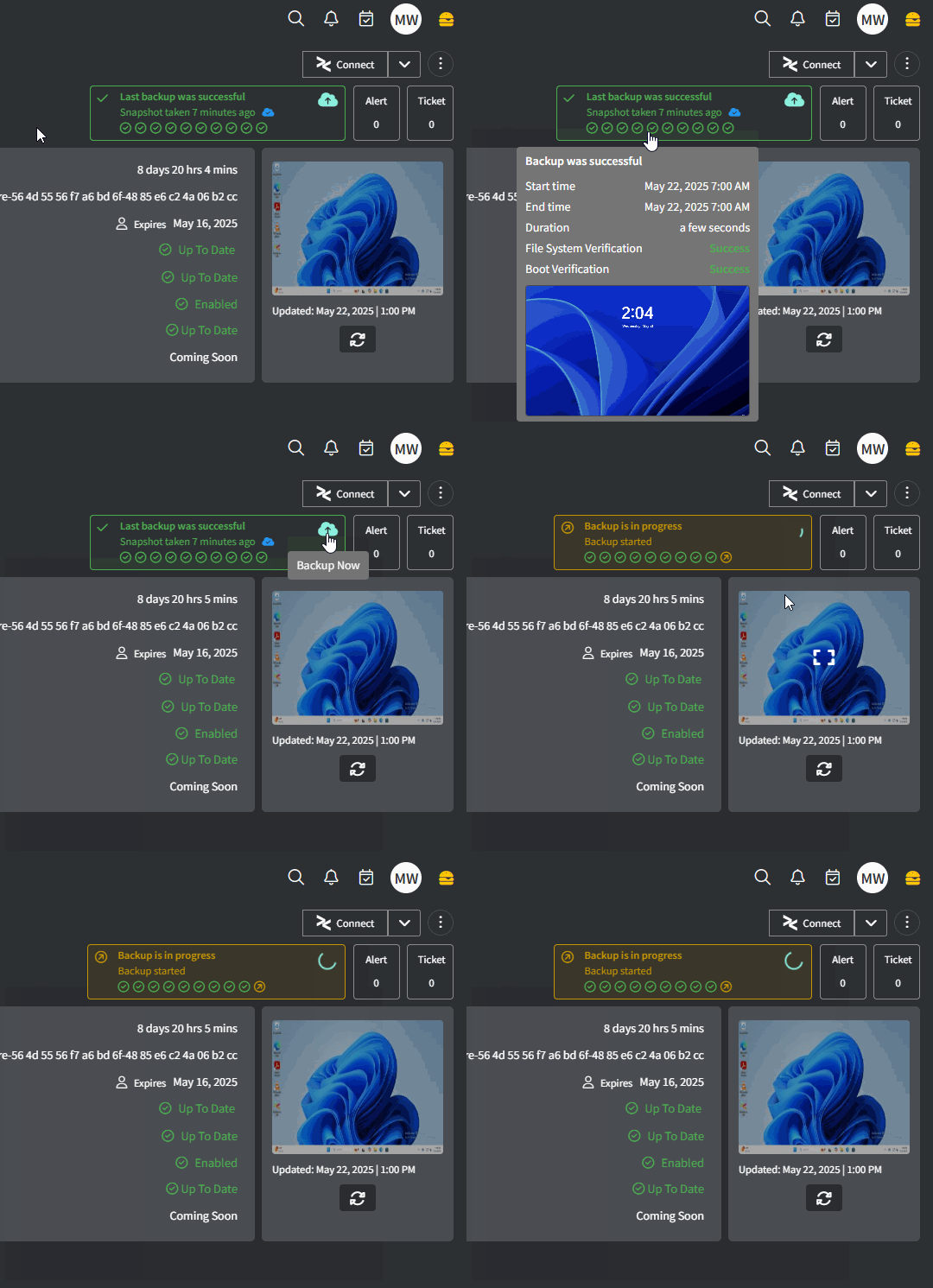
Integrate with Slide
Navigate to Settings → Integrations
Click the ⚙️cog icon to configure Slide
Fill in the required fields
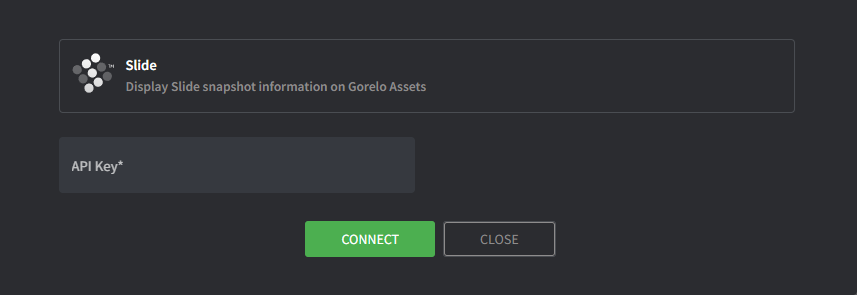
API Key
Navigate to https://console.slide.tech/settings
‘Create API Token’
Copy and paste the token into Gorelo
Click Connect
Click ‘Map Agents’ icon on the integration
Map Gorelo Assets to the appropriate Slide Agents
Click Update when complete
To view the integration in action, navigate to a mapped Asset in Gorelo and you will see Slide backup info in the top-right corner:
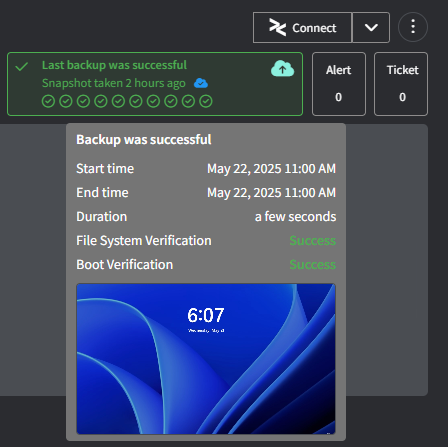
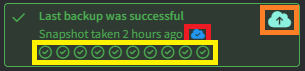
Yellow: The status of the last 10 snapshots — oldest to newest. Hover to see more detail.
Red: The status of cloud replication — sold blue is replicated to the cloud, outline-only is not replicated to the cloud (yet).
Orange: Click to initiate a snapshot
Click anywhere else to navigate to the Slide portal
Was this helpful?
Still need help? Share an idea